Flex Rock UTV Performance Additions
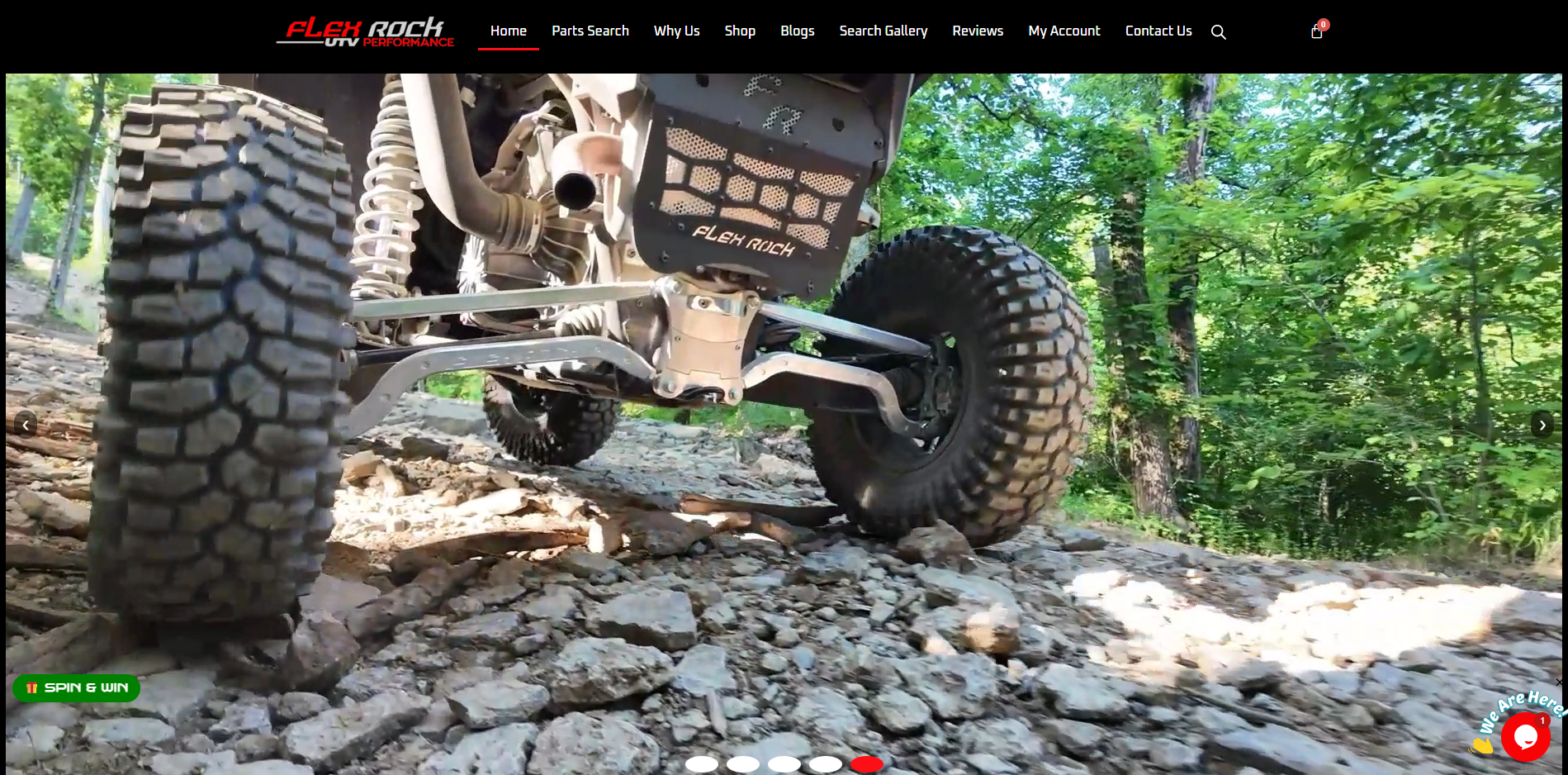
About This Project
Custom development work for Flex Rock UTV Performance’s website, including WooCommerce features, customer engagement tools, loyalty functionality, API integrations, and front-end design improvements.
Features covered:

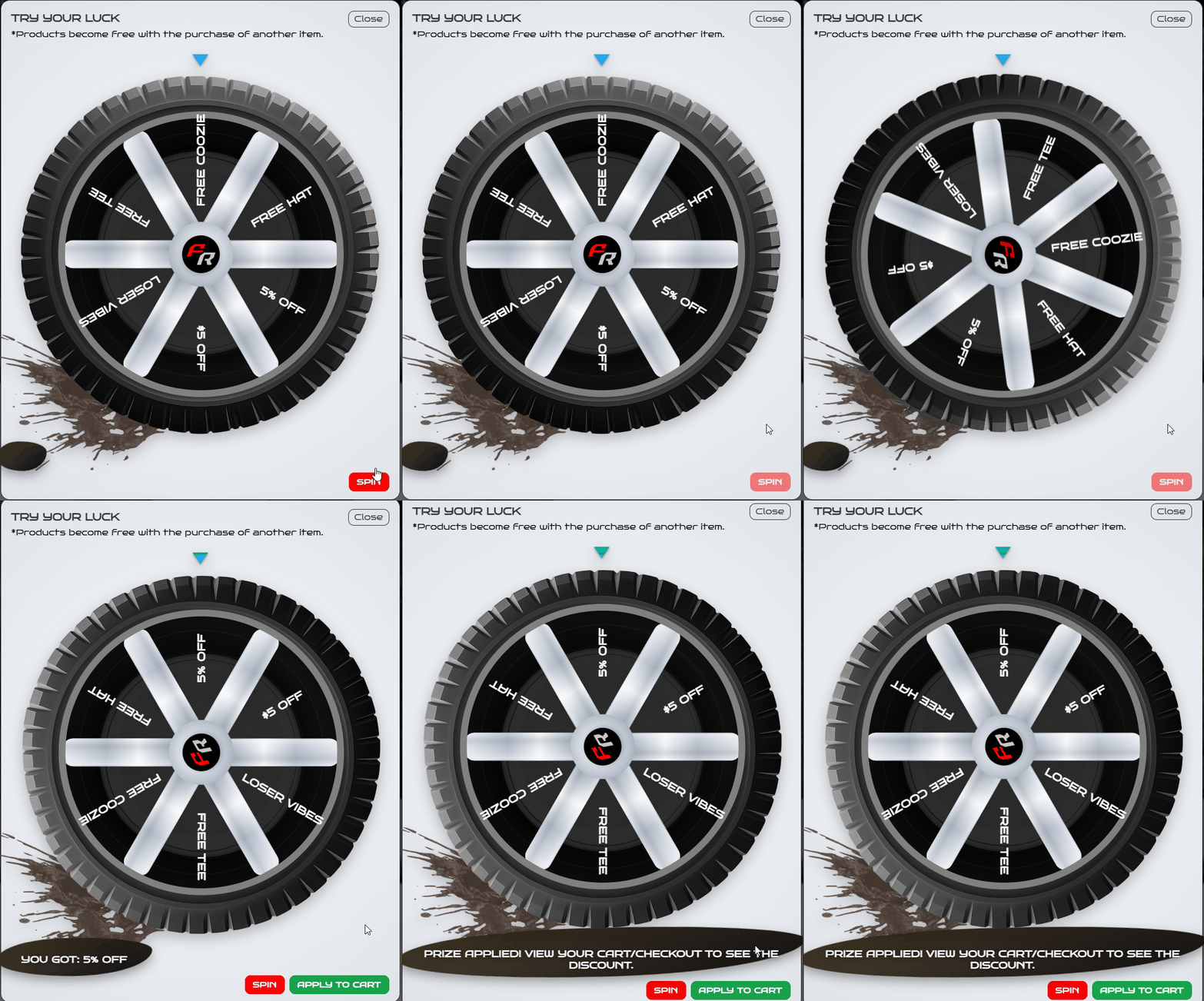
Spinning Coupon Wheel
A gamified WooCommerce promotion system where customers spin a prize wheel for discounts or free products. The wheel animation happens on the frontend, but the winning prize is selected and stored securely on the server before the animation begins. At a high level, this is what the plugin does:
- Server-side prize selection
- Weighted reward probability
- WooCommerce session storage
- Cart and checkout discount integration
- Free product reward support
Technical breakdown: secure prize selection and weighted rewards
The most important part of the wheel is that the prize is not decided by JavaScript. JavaScript only animates the wheel after the backend has already selected the winning slice. This prevents customers from editing the browser response or frontend code to claim a better reward.
Each prize has a label, type, value, and weight. The weight controls how often that prize should appear compared to the others. For example, a low-value discount can be weighted higher, while a free product can be weighted lower. The code below shows the array approach utilized to initialize the prizes and how the prizes are iterated over.
private function prize_catalog() {
    return [
        'p5_percent'  => ['label' => '5% OFF',  'type' => 'percent',  'value' => 5,  'weight' => 24],
        'p5_fixed'    => ['label' => '$5 OFF',  'type' => 'fixed',    'value' => 5,  'weight' => 20],
        'none'        => ['label' => 'Loser Vibes', 'type' => 'none', 'value' => 0,  'weight' => 14],
        'p10_percent' => ['label' => '10% OFF', 'type' => 'percent',  'value' => 10, 'weight' => 18],
        'p10_fixed'   => ['label' => '$10 OFF', 'type' => 'fixed',    'value' => 10, 'weight' => 14],
        'free_tee'    => ['label' => 'FREE TEE','type' => 'free_tee','value' => self::FREE_TEE_PRODUCT_ID, 'weight' => 10],
    ];
}

private function pick_weighted_slice($slices) {
    $total = array_sum(array_map(fn($s) => (int) $s['weight'], $slices));
    $r = mt_rand(1, $total);
    $cum = 0;

    foreach ($slices as $i => $s) {
        $cum += (int) $s['weight'];

        if ($r <= $cum) {
            return $i;
        }
    }

    return 0;
}
After the prize is selected, the winning slice is saved into the WooCommerce session. That saved session value becomes the source of truth when WooCommerce applies the discount or free product later in the cart and checkout flow.
$slices = $this->wheel_slices();
$index = $this->pick_weighted_slice($slices);

WC()->session->set(self::SESSION_PRIZE, $slices[$index]);
WC()->session->set(self::SESSION_PRIZE_DONE, null);
WC()->session->set(self::SESSION_SPUN_AT, time());

wp_send_json([
    'ok'    => true,
    'index' => $index,
    'prize' => $slices[$index],
]);
Technical breakdown: animating the wheel to match the server result
After the server returns the winning index, JavaScript calculates the rotation needed to align that slice with the fixed pointer at the top of the wheel. The core challenge is calculating delta (the additional rotation needed to land on the correct slice after completing six full spins). One thing that gave me trouble was having to align the fixed pointer at 270° relative to the wheel because CSS rotation starts at 3 o’clock (pointing right) as 0°, not 12 o’clock.
The rotation equation
const SLICE_COUNT = labels.length;
const DEGREES_PER_SLICE = 360 / SLICE_COUNT;
const START_AT_TOP = 270; // 0° points right; 270° points up (12 o'clock)

const targetSliceCenter = (DEGREES_PER_SLICE * winningIndex) + (DEGREES_PER_SLICE / 2);
const rotationNeeded = START_AT_TOP - targetSliceCenter;
const fullSpins = 360 * 6; // Six complete rotations for visual effect

const currentRotationNormalized = ((currentRotation % 360) + 360) % 360;
const delta = fullSpins + rotationNeeded - currentRotationNormalized;

currentRotation += delta;
wheelElement.style.transform = `rotate(${currentRotation}deg)`;
Breaking down the math
The variable delta represents “how many additional degrees to rotate from the wheel’s current position to reach the desired landing position.” Here’s each component:
fullSpins (360 × 6): The wheel rotates completely around six times before stopping. This creates a satisfying spinning effect while giving the server response time to return.rotationNeeded (START_AT_TOP - targetSliceCenter): The angular distance between the pointer at the top (270°) and the center of the winning slice. For example, if the winning slice is centered at 30°, the wheel needs to rotate -240° (or +120°) to align it. The equation produces a signed value that can be positive or negative.currentRotationNormalized: The wheel’s current rotation, normalized to a value between 0° and 359°. The complex expression((currentRotation % 360) + 360) % 360handles negative rotations correctly (JavaScript’s%operator returns negative remainders).delta(the final sum): Adds full spins plus the needed rotation, then subtracts the current position. This tells the animation exactly how far to turn.
Why this approach
I chose this method because it keeps all positioning logic in JavaScript rather than relying on CSS keyframes or external libraries. Alternatives like pre-defined keyframe animations would require different animation definitions for each possible prize (6+ animations), which becomes unmaintainable. This single equation works for any number of slices and any winning index.
Trade-off: The math is denser than a keyframe approach but adding a new prize doesn’t require touching the animation code at all.
Technical breakdown: WooCommerce integration
The wheel connects to WooCommerce through AJAX actions, cart calculation hooks, order line item hooks, and email meta filters. This allowed the feature to behave like a normal WooCommerce promotion instead of being a separate disconnected pop-up. These are examples of hooks I implemented:
add_action('wp_enqueue_scripts', [$this, 'enqueue_assets']);
add_action('wp_footer', [$this, 'render_wheel_ui']);

add_action('wp_ajax_swr_spin_wheel', [$this, 'ajax_spin_wheel']);
add_action('wp_ajax_nopriv_swr_spin_wheel', [$this, 'ajax_spin_wheel']);

add_action('wp_ajax_swr_claim_prize', [$this, 'ajax_claim_prize']);
add_action('wp_ajax_nopriv_swr_claim_prize', [$this, 'ajax_claim_prize']);

add_action('woocommerce_cart_calculate_fees', [$this, 'apply_discounts_and_prizes'], 20, 1);
add_action('woocommerce_before_calculate_totals', [$this, 'zero_price_for_free_tee'], 10, 1);
add_action('woocommerce_checkout_create_order_line_item', [$this, 'carry_free_flag_to_order_item'], 10, 4);
add_filter('woocommerce_email_order_meta_fields', [$this, 'email_order_meta_spin_line'], 10, 3);
This structure made the feature easier to maintain because each part of the flow had a specific responsibility: rendering the UI, selecting the prize, claiming the prize, applying the reward, and preserving the result on the order. Using JavaScript asynchronously with AJAX created a smooth experience for the user too. For example, instead of waiting for the webpage to do a full page refresh when different events happen it is able to render the page quickly.
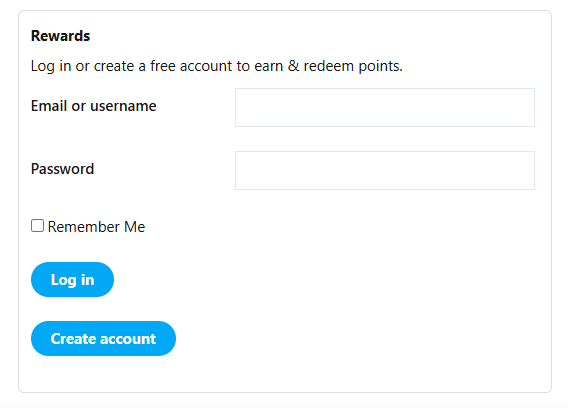
Flex Rock Bucks Loyalty System
A custom WooCommerce loyalty system that lets customers earn and redeem Flex Rock Bucks through account creation, completed purchases, and approved gallery submissions. This feature includes:
- Signup rewards
- Purchase-based rewards
- Gallery submission rewards
- Cart and checkout redemption
- Admin-controlled reward settings
Technical breakdown: earning points from WooCommerce orders
Purchase rewards are awarded when an order reaches completed status. The plugin calculates the merchandise subtotal, converts the subtotal into points, adds those points to the customer account, and records an order note for transparency. This PHP sample shows how points are generated.
add_action('woocommerce_order_status_completed', [$this, 'award_points_on_complete']);

public function award_points_on_complete($order_id) {
    $order = wc_get_order($order_id);

    if (!$order || !$order->get_user_id()) {
        return;
    }

    $settings = $this->settings();

    $subtotal = 0;

    foreach ($order->get_items() as $item) {
        $subtotal += (float) $item->get_subtotal();
    }

    $points = (int) floor($subtotal * (float) $settings['earn_rate']);

    if ($points > 0) {
        $this->add_user_points($order->get_user_id(), $points);

        $order->add_order_note(sprintf(
            'Simple Woo Rewards: awarded %d points for $%.2f subtotal.',
            $points,
            $subtotal
        ));
    }
}
This keeps rewards tied to real completed orders instead of simply adding points when an item is placed in the cart. It also avoids rewarding abandoned carts or unpaid orders.
Technical breakdown: redeeming points as store credit
When customers redeem points, the system stores the requested redemption amount in the WooCommerce session and creates a temporary coupon-style discount. This allowed the reward system to work with WooCommerce’s normal cart and checkout calculations instead of bypassing them.
For this setup, every 10 points equals $1.00 in store credit. That means 84 points would equal $8.40.
WC()->session->set(self::SESSION_REDEEM, $request_points);

$cash = $request_points * (float) $settings['value_per_point'];

list($code, $coupon_id) = $this->create_points_coupon(
    min($cash, $eligible_total),
    get_current_user_id()
);

WC()->session->set(self::SESSION_POINTS_COUPON, $code);
WC()->session->set(self::SESSION_POINTS_COUPON_ID, $coupon_id);

WC()->cart->apply_coupon($code);
WC()->cart->calculate_totals();
Using WooCommerce’s coupon flow made the discount easier to track and less fragile because the cart total, checkout review, tax calculations, and order creation could continue using WooCommerce’s built-in systems. The featured code highlights how I was able to save each user’s saved points.
Business impact and scalability
This system gives Flex Rock a reusable loyalty structure that can reward purchases, encourage account creation, and connect customer engagement back to future store credit. It can also be expanded with bonus point events, referral rewards, seasonal campaigns, product-category incentives, or admin reporting.
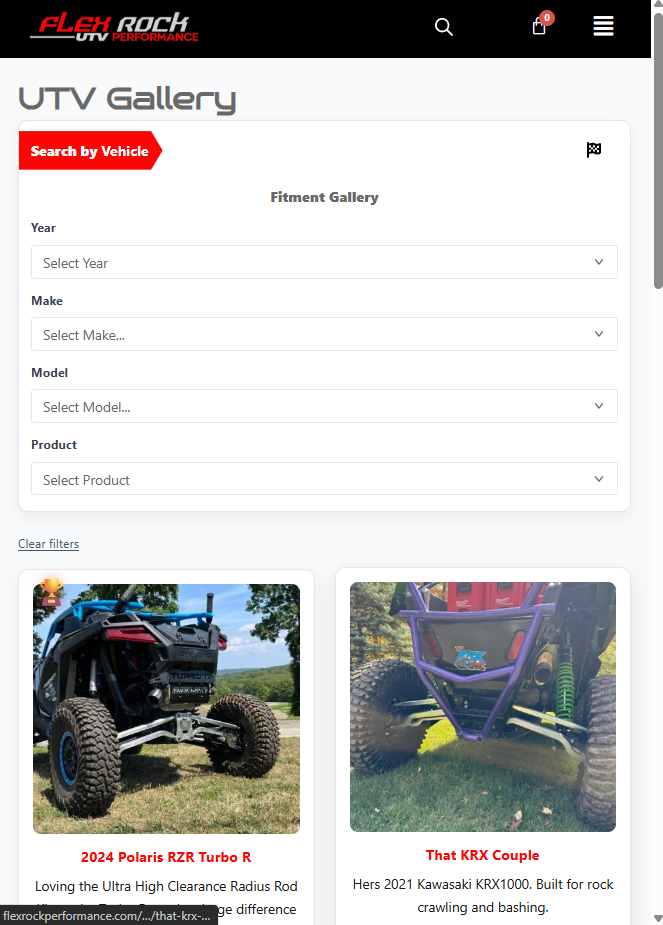
Customer UTV Image Gallery
A custom gallery system that allows customers to submit UTV build photos, have them reviewed by an admin, earn rewards once approved, vote on builds, and connect gallery posts back to WooCommerce products. Supported actions of the system contain:
- Frontend customer submissions
- Admin approval workflow
- Flex Rock Bucks reward connection
- Voting and leaderboard logic
- Related WooCommerce product display
- Year / Make / Model product filtering
Technical breakdown: submissions, moderation, and rewards
Gallery submissions are stored as a custom post type and created with a pending status. This allows customers to submit content from the frontend while keeping the final publishing decision in the WordPress admin.
$post_id = wp_insert_post([
    'post_type'   => 'uploaded_images',
    'post_status' => 'pending',
    'post_title'  => sanitize_text_field($title),
]);

$attachment_id = media_handle_upload('image', $post_id);

if (!is_wp_error($attachment_id)) {
    set_post_thumbnail($post_id, $attachment_id);
}
After an admin approves a submission, the system can reward the user with Flex Rock Bucks. This connected user-generated content directly to the loyalty system and gave customers a reason to participate. These code samples show the custom post type in action.
add_action('transition_post_status', function($new, $old, $post) {
    if ($post->post_type === 'uploaded_images' && $new === 'publish') {
        $user_id = $post->post_author;
        $points = 50;

        if ($user_id) {
            update_user_meta(
                $user_id,
                'fr_points',
                (int) get_user_meta($user_id, 'fr_points', true) + $points
            );
        }
    }
}, 10, 3);
Technical breakdown: voting and leaderboard logic
The gallery includes a voting system that lets logged-in users vote for builds. Votes are stored as post meta, and a separate list of user IDs prevents the same account from voting on the same post multiple times. This snippet below showcases how custom post meta is handled within the system.
function iuv_handle_vote() {
    if (!is_user_logged_in()) {
        wp_send_json_error('You must be logged in to vote.');
    }

    if (
        !isset($_POST['post_id']) ||
        !isset($_POST['nonce']) ||
        !wp_verify_nonce($_POST['nonce'], 'iuv_vote')
    ) {
        wp_send_json_error('Invalid request.');
    }

    $post_id = intval($_POST['post_id']);
    $user_id = get_current_user_id();

    $voted_users = get_post_meta($post_id, '_iuv_voted_users', true) ?: [];

    if (in_array($user_id, $voted_users)) {
        wp_send_json_error('You have already voted on this image.');
    }

    $votes = (int) get_post_meta($post_id, '_iuv_votes', true);
    $votes++;

    update_post_meta($post_id, '_iuv_votes', $votes);

    $voted_users[] = $user_id;
    update_post_meta($post_id, '_iuv_voted_users', $voted_users);

    wp_send_json_success(['votes' => $votes]);
}

add_action('wp_ajax_iuv_vote', 'iuv_handle_vote');
The leaderboard can then query published gallery posts and sort them by vote count, making the highest-ranked builds appear automatically without manually selecting winners.
Technical breakdown: connecting gallery posts to WooCommerce products
Each gallery post can store related WooCommerce product IDs. On the frontend, those IDs are normalized, loaded with WooCommerce functions, and displayed as related products. This helps connect customer builds back to parts that other shoppers can buy. This code snippet shows my approach to fetch and render products.
$product_ids = get_post_meta($post_id, '_iuv_product_ids', true);

if (is_string($product_ids)) {
    $product_ids = array_filter(array_map('absint', array_map('trim', explode(',', $product_ids))));
} elseif (is_array($product_ids)) {
    $product_ids = array_filter(array_map('absint', $product_ids));
} else {
    $product_ids = [];
}

foreach ($product_ids as $product_id) {
    $product = wc_get_product($product_id);

    if (!$product) {
        continue;
    }

    $url   = get_permalink($product_id);
    $price = $product->get_price_html();
    $image = get_the_post_thumbnail($product_id, 'woocommerce_thumbnail');

    echo '<a href="' . esc_url($url) . '">' . $image . '</a>';
    echo '<h3>' . esc_html($product->get_name()) . '</h3>';
    echo '<div>' . wp_kses_post($price) . '</div>';
}
The product picker can also use Year / Make / Model data to help customers find parts that match their UTV instead of searching through the full product catalog manually.
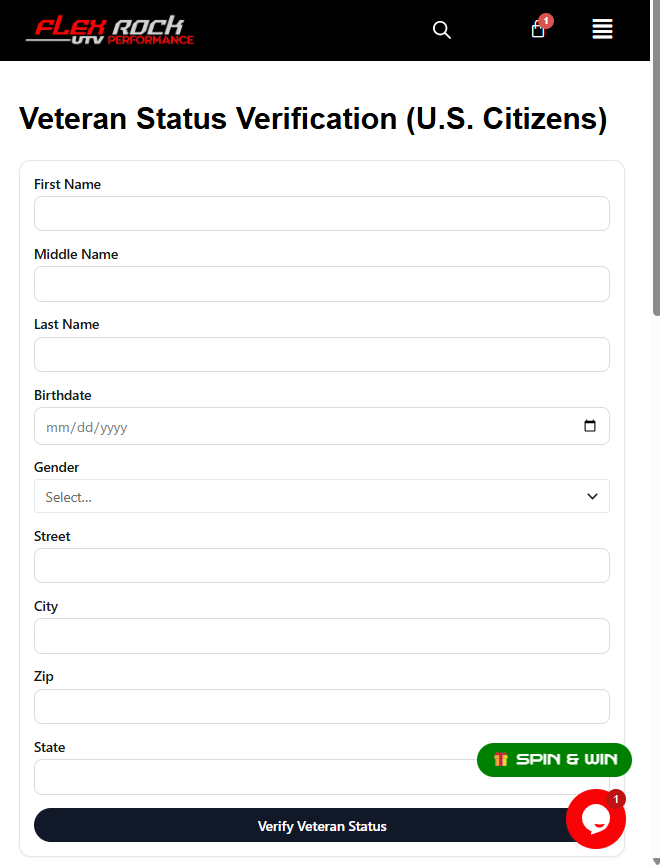
Veteran Discount Verification System
A custom veteran discount system that verifies eligibility through the VA API and applies a 10% discount directly inside WooCommerce. Listed below are some wins this plugin accomplished:
- VA API verification
- Guest-friendly verification flow
- WooCommerce session integration
- Automatic 10% cart discount
- No recurring 3rd-party verification dependency cost
Project reason and business impact
Instead of relying on paid third-party tools like VerifyPass or ID.me, I implemented a custom verification flow using the Department of Veteran Affairs API. This removed a recurring vendor dependency expense while keeping the form, messaging, verification flow, and discount behavior controlled directly inside the website.
- Reduced cost: Avoided roughly $600/year in third-party verification fees.
- Full control: The verification form and customer experience could be customized for the site.
- Guest-friendly: Customers could verify without needing to create an account first.
Technical breakdown: form handling and VA API request
The verification form is rendered with a shortcode. When submitted, the request is protected with a WordPress nonce, the input values are sanitized, and the data is sent to the VA API using WordPress’s HTTP API. The following code snippet demonstrates the core functionality.
add_shortcode('va_api_verify_form', function () {
    ob_start();

    if ($_SERVER['REQUEST_METHOD'] === 'POST' && isset($_POST['va_verify_nonce'])) {
        if (!wp_verify_nonce($_POST['va_verify_nonce'], 'va_verify_action')) {
            return '<p>Verification failed. Please try again.</p>';
        }

        $first_name = sanitize_text_field($_POST['first_name'] ?? '');
        $last_name  = sanitize_text_field($_POST['last_name'] ?? '');
        $birth_date = sanitize_text_field($_POST['birth_date'] ?? '');

        $response = wp_remote_post($url, [
            'headers' => [
                'Authorization' => 'Bearer <api_key>',
                'Content-Type'  => 'application/json',
            ],
            'body'    => wp_json_encode($data),
            'timeout' => 10,
        ]);

        if (!is_wp_error($response)) {
            $body = json_decode(wp_remote_retrieve_body($response), true);

            if (isset($body['veteran_status']) && $body['veteran_status'] === 'confirmed') {
                $_SESSION['verified_veteran'] = true;
                $verified = true;
            }
        }

        wp_redirect(wc_get_cart_url() . '?verified=' . ($verified ? '1' : '0'));
        exit;
    }

    wp_nonce_field('va_verify_action', 'va_verify_nonce');

    return ob_get_clean();
});
This flow keeps sensitive verification logic on the server and only stores a simple verified flag after confirmation. That avoids storing unnecessary personal information while still allowing WooCommerce to know whether the discount should be active.
Technical breakdown: applying the WooCommerce discount
The discount is applied through WooCommerce’s cart fee system. This made the 10% veteran discount behave like a native cart adjustment and allowed it to update properly when WooCommerce recalculated totals. Displayed below is one of the functions that calculates cart totals based on veteran status.
add_action('woocommerce_cart_calculate_fees', function ($cart) {
    if (is_admin() && !defined('DOING_AJAX')) {
        return;
    }

    $verified = (
        (isset($_SESSION['verified_veteran']) && $_SESSION['verified_veteran'] === true) ||
        (function_exists('WC') && WC()->session && WC()->session->get('verified_veteran') === true)
    );

    if ($verified) {
        $subtotal = floatval($cart->get_subtotal());

        if ($subtotal > 0) {
            $cart->add_fee('Veteran Discount', -($subtotal * 0.10));
        }
    }
}, 20);
Because WooCommerce checkout totals can refresh through AJAX, the verified state was also synchronized between the native PHP session and WooCommerce’s session system. The flag is cleared after checkout or when the cart is emptied so the discount does not persist beyond the intended flow. Additionally, the data is stored in JSON format because each field was able to be mapped easily as key-value pairs.
Impulse Buy Product Module
In retail, lots of stores show cheap items at check-out so customers may impulsively pick up something to buy while they wait. I brought that same concept to WooCommerce by recommending UTV accessories before customers complete their order.


The module pulls in-stock WooCommerce products from the Accessories category and displays them directly inside the cart page.
It uses a horizontal carousel with previous and next controls, allowing customers to browse accessory options.
Key Features
- Built as a custom WordPress plugin with PHP and WooCommerce hooks
- Pulls random in-stock products from the Accessories category
- Displays products in a compact carousel above the cart items
- Supports arrow navigation and mobile horizontal scrolling
- Adds custom tracking metadata when an upsell item is purchased
- Sends a GA4 event when customers click an upsell add-to-cart button
Technical overview: WooCommerce cart placement
The module is injected directly into the WooCommerce cart table using the cart contents hook. I used a high priority so the accessory section appears after the cart line items are available, but still inside the cart experience. Example:
add_action(
    'woocommerce_cart_contents',
    [$this, 'render_accessories_section'],
    999
);
Technical overview: accessory product query
The plugin uses a WooCommerce product query to pull published, in-stock products from the Accessories category. This keeps the module dynamic, so the products can be managed through WooCommerce instead of being hardcoded. It was coded like this:
$accessories = new WP_Query([
    'post_type'      => 'product',
    'posts_per_page' => 30,
    'post_status'    => 'publish',
    'orderby'        => 'rand',
    'tax_query'      => [
        [
            'taxonomy' => 'product_cat',
            'field'    => 'slug',
            'terms'    => ['accessories'],
        ],
    ],
    'meta_query' => [
        [
            'key'     => '_stock_status',
            'value'   => 'instock',
            'compare' => '=',
        ],
    ],
]);
Using posts_per_page => -1 lets the carousel include all available accessories but I limited it to a smaller number for performance.
Technical overview: carousel layout and arrows
The layout uses a horizontal flex row. The previous and next buttons scroll the product row by the visible width of the carousel. The code below shows how this was implemented:
document.addEventListener('click', function(e) {
    var slider = document.getElementById('frCartAccessoriesSlider');

    if (!slider) {
        return;
    }

    if (e.target.closest('.fr-cart-accessories__arrow--next')) {
        slider.scrollBy({
            left: slider.clientWidth,
            behavior: 'smooth'
        });
    }

    if (e.target.closest('.fr-cart-accessories__arrow--prev')) {
        slider.scrollBy({
            left: -slider.clientWidth,
            behavior: 'smooth'
        });
    }
});
This approach keeps the module lightweight because it does not require a third-party carousel library. It also works naturally with touch scrolling on mobile.
Technical overview: upsell tracking metadata
When a customer adds an accessory from the module, the add-to-cart URL includes a custom source parameter. That value is added to the cart item data and then saved to the final WooCommerce order line item. See below for how it was done:
$url = add_query_arg([
    'add-to-cart'      => $product->get_id(),
    'fr_upsell_source' => 'cart_accessories',
], wc_get_cart_url());

echo '<a href="' . esc_url($url) . '" class="button fr-upsell-add-to-cart" data-product_id="' . esc_attr($product->get_id()) . '">Add</a>';
public function save_upsell_to_order_item($item, $cart_item_key, $values, $order) {
if (!empty($values['fr_upsell_source'])) {
$item->add_meta_data(
'_fr_upsell_source',
sanitize_text_field($values['fr_upsell_source']),
true
);
}
}This makes it possible to report on which completed orders included an impulse-buy item, instead of only knowing that someone clicked a product.
Technical overview: GA4 click tracking
The module also fires a GA4 event when a customer clicks an upsell add-to-cart button. This helps measure interest even if the customer does not complete checkout. Here is an example of how that works in practice:
gtag('event', 'fr_cart_accessory_upsell_click', {
    product_id: btn.dataset.product_id || '',
    feature_name: 'cart_accessories_upsell'
});
Using both GA4 click tracking and WooCommerce order metadata gives a fuller picture: GA4 shows engagement, while order metadata confirms actual purchased upsells.
Front-End Design Updates
The following updates were made to the initial modules set in place by an outside party. Areas such as the site’s usability, visual polish, mobile experience, and shopping flow were improved as a result of my work.
UTV Brand Module Section
I updated the UTV brand offering section with improved spacing, clearer visual hierarchy, and more noticeable call-to-action buttons so customers could more easily understand what product categories are available.


Testimonials Section
I redesigned the testimonials area with on-brand colors and a cleaner layout so the section feels more intentional and connected to the company.


Mobile Navigation Menu
I improved the mobile navigation with larger link text, stronger contrast, better spacing, and a cleaner dropdown presentation to make the site easier to use on smaller screens.


Shop Page Layout
I improved the WooCommerce shop layout by making the product cards align more consistently. Flexbox was used to create a cleaner product grid, reduce uneven spacing, and make the shopping experience feel more organized.


Full-Screen Hero Slider and Promotional Banner
I replaced the original single-video hero area with a full-screen promotional slider that supports image-based promotions and video content. I also added a top-of-site banner area for company initiatives, promotions, and important announcements.

Sticky Parts Search Button
To make searching for parts more convenient, I added a sticky “Parts Search” button that remains visible while scrolling on all pages except the parts search page itself. This feature is especially useful on mobile devices because it reduces the extra click needed to go to this page from the navigation.


3D Product Viewer
Customers have the option to view products in 3D before buying which helps them understand what they’re getting.
